

Salary Step Locator
For anyone wondering what step they are currently on, you need to know your current classification name/title.
Go to CSU Salary Schedule
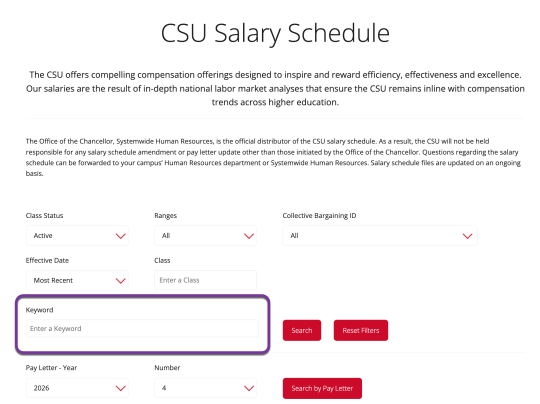
Enter your classification name/title under Keyword and click Search.
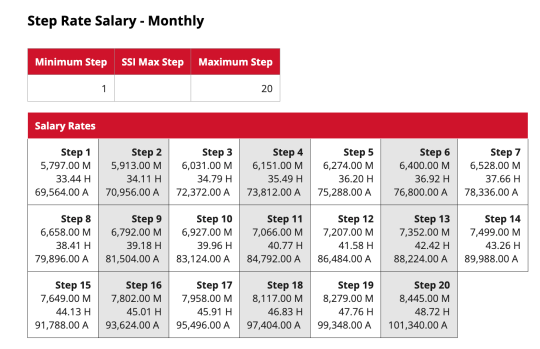
Find your current salary on the salary rates table, that will tell you what your current step is. If your classification has multiple levels, you will see range numbers 1, 2, 3 etc. and you’ll need to know which level or range number you are. As an example, Administrative Analyst/Specialists have four levels, so range numbers 1-4.
Classification and Range
If you don't know your Classification and/or range, click on Chapter 304 Classification.
- Names are alphabetical.
- There is a four-digit number in front of your classification name and that can be added to the box labeled Class, on CSU Salary Scheduler, which will bring up your specific classification.
- The column labeled Range so you can then pick from the search results your specific classification.
- The column labeled Timebase so you know what percentage of the bonus you will be getting. For those not having a timebase, you are probably intermittent. Look at the bottom of the Tentative Agreement that speaks to the bonus. It explains how it is calculated for intermittent staff.